
1 · Operator — taking a service request
When a customer calls or e-mails with a problem, the operator logs it as a service request. PLANA Field Service gives operators a streamlined intake form so a request can be captured in seconds.
Open the intake form
Go to Field Service ▸ Operations ▸ New Service Request.
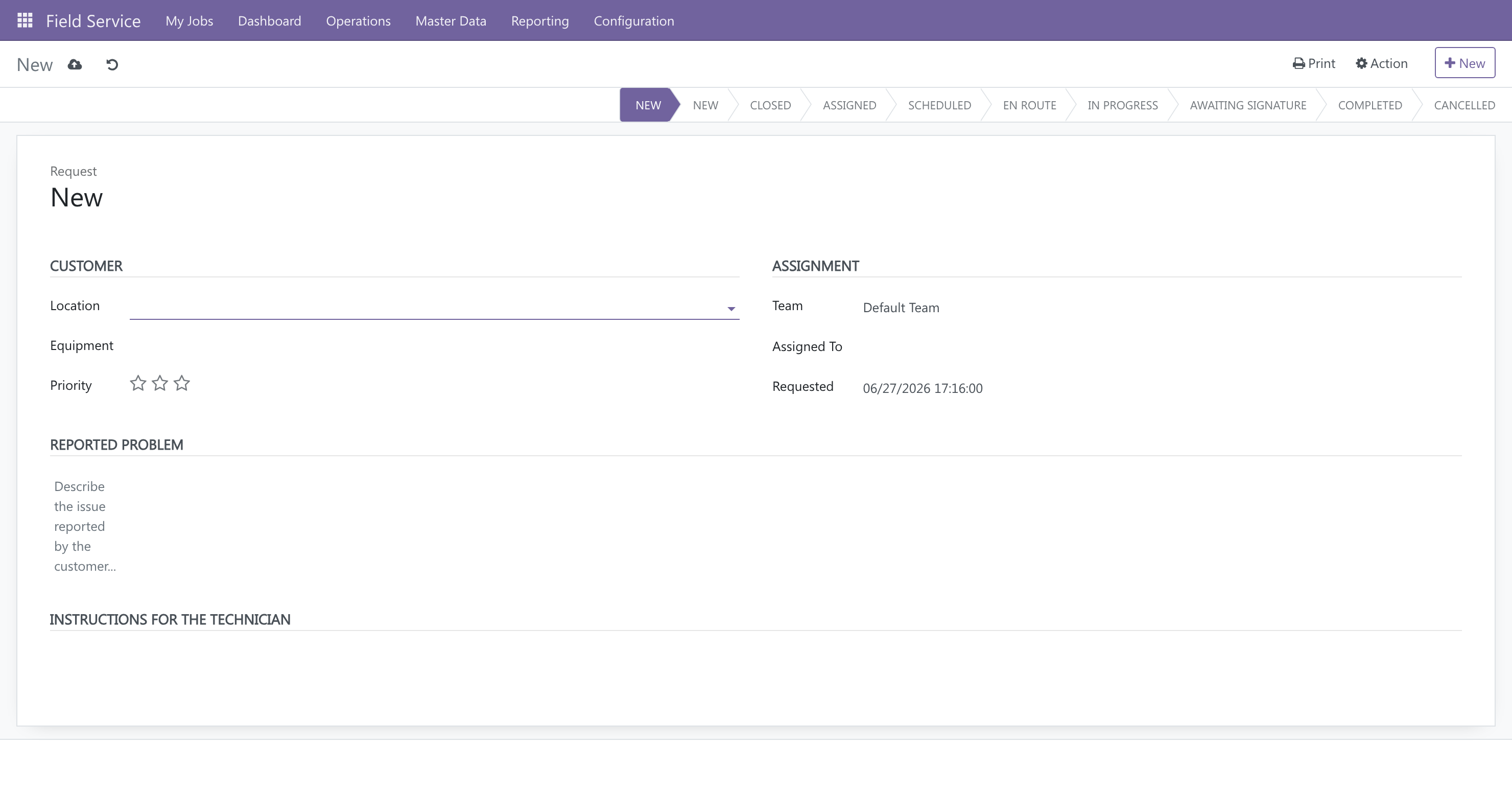
The form is laid out in the order you collect the information:
- Customer — pick the Location (the customer site) and, if relevant, the Equipment; set a Priority (stars).
- Assignment — choose a Team and/or a specific Technician, and a Requested date.
- Reported problem — describe what the customer reported.
- Instructions for the technician — anything the tech needs to know on site.
- Attach photos / documents — use the chatter at the bottom of the order: the paperclip uploads a file, and the camera icon snaps a breakdown or warranty photo on the spot.
- Save. The request gets an order number and enters the New stage.
Locations vs. customers
A Service Location is the physical site you visit (and the thing that gets geolocated for routing). One customer can have several locations. Set locations up once under Master Data ▸ Service Locations; operators then just pick them.
What happens next
The order now sits in the New stage, waiting for a dispatcher to schedule and assign it. From here it moves through the workflow:
New → Assigned → Scheduled → En Route → In Progress → Awaiting Signature → Completed
The next person in the chain is the dispatcher — see Scheduling, routing and the map →.