
3 · Technician — the mobile job
The technician works from a phone, often with gloves on, in the field. PLANA Field Service gives them a focused, touch-first experience: a cockpit of their jobs and big buttons for the three things they actually do — drive there, log parts, get the signature.
Install the app (PWA)
Open the PLANA URL on the phone's browser → browser menu → Add to Home Screen. It installs as “PLANA Field Service” and launches like a native app — on iOS and Android, with no app store.
My Jobs
Field Service ▸ My Jobs shows the jobs assigned to the logged-in technician — open jobs, soonest first — as big tappable cards. Each card shows the site, the order number, the scheduled time and the current stage.
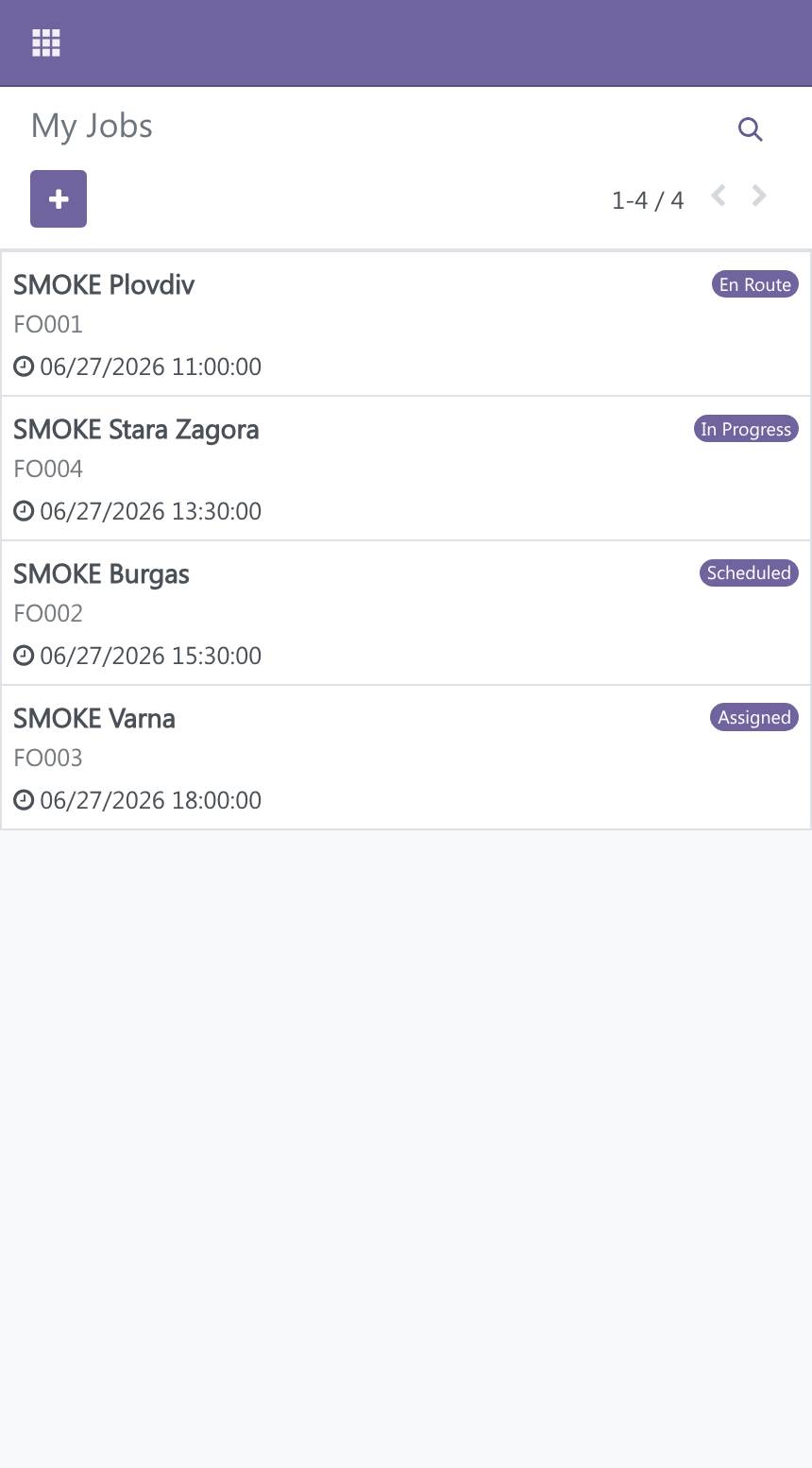
Tap a card to open the job.
Doing the job (big buttons)
On a phone, the order screen surfaces large buttons right under the title:
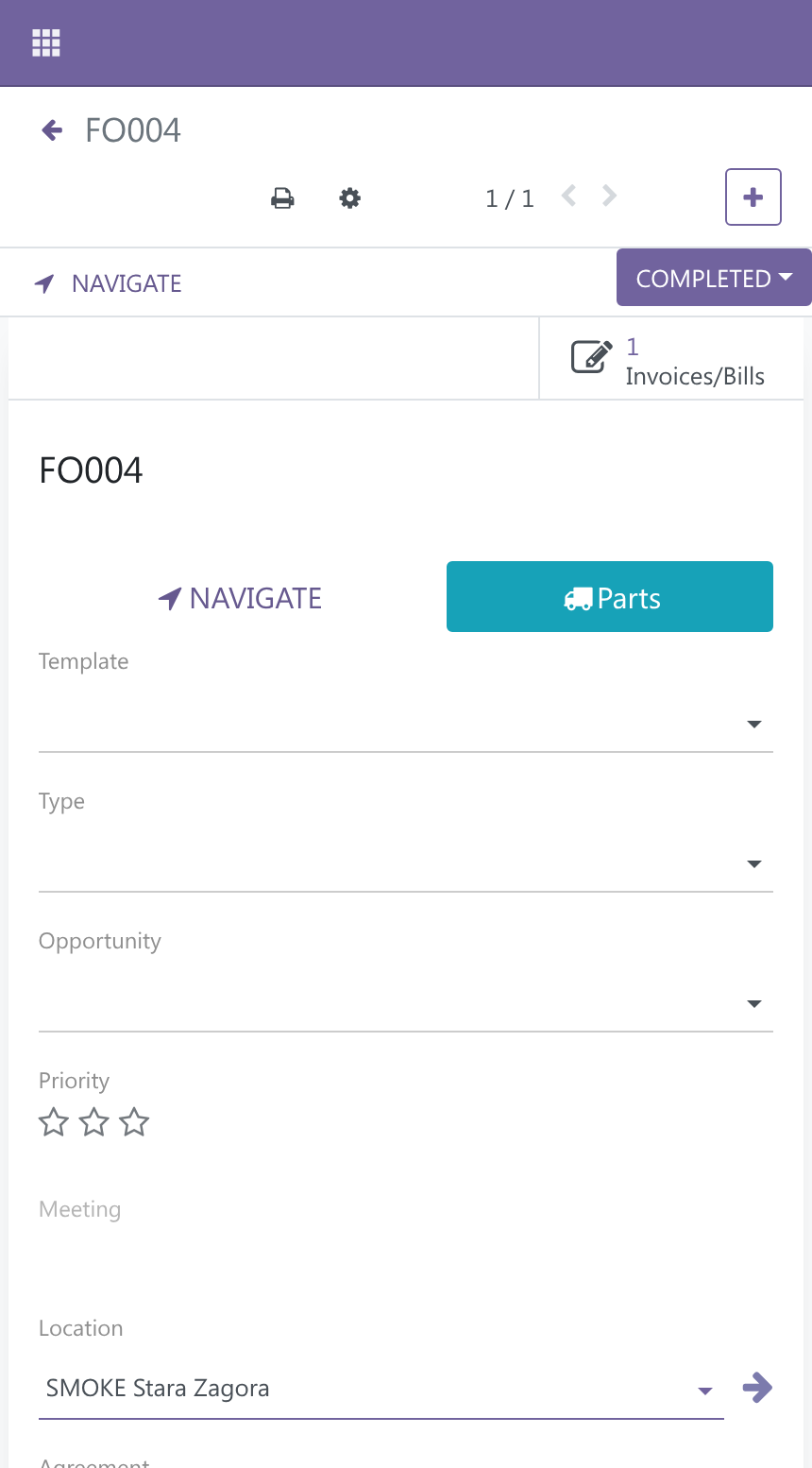
- Navigate — opens directions to the site in the phone's map app.
- Parts — jumps to the Parts Used tab to log consumed parts (see Van stock).
- Sign & Finish — the sign-off flow (see Sign-off & the handover protocol).
Use the chatter camera to attach photos of the work or the equipment as you go.
One screen, all day
Because My Jobs and the order screen are the same Odoo running responsively, the technician sees the same live data as the dispatcher — no sync, no separate app to keep up to date.
Next: finishing the job and getting the customer's signature — see Sign-off & the handover protocol →.