
📝
Fast intake
A streamlined New Service Request form — location, equipment, priority, the reported problem, photos from the chatter — and the job enters the workflow.
Operator guide
Take the call, route the van, do the job on a phone, capture the customer's signature, e-mail the handover protocol, invoice the work — and run preventive-maintenance contracts. All inside PLANA Business Cloud.
PLANA Field Service is an add-on suite for PLANA Business Cloud that turns Odoo into a complete platform for companies that send technicians to customer sites — HVAC, refrigeration, installation, repair and maintenance businesses.
It covers the whole job, in one system:
Take the request → dispatch & route it → do the job on a phone → capture the signature → send the handover protocol → invoice the work → repeat on a maintenance contract.
Everything runs natively inside Odoo, so service orders, stock, invoices and the Bulgarian fiscal documents all live together — no second system, no exports.
Audience
Written for the people who use the software: operators, dispatchers, technicians and service managers. For installation and tenant operations, see the Platform section.
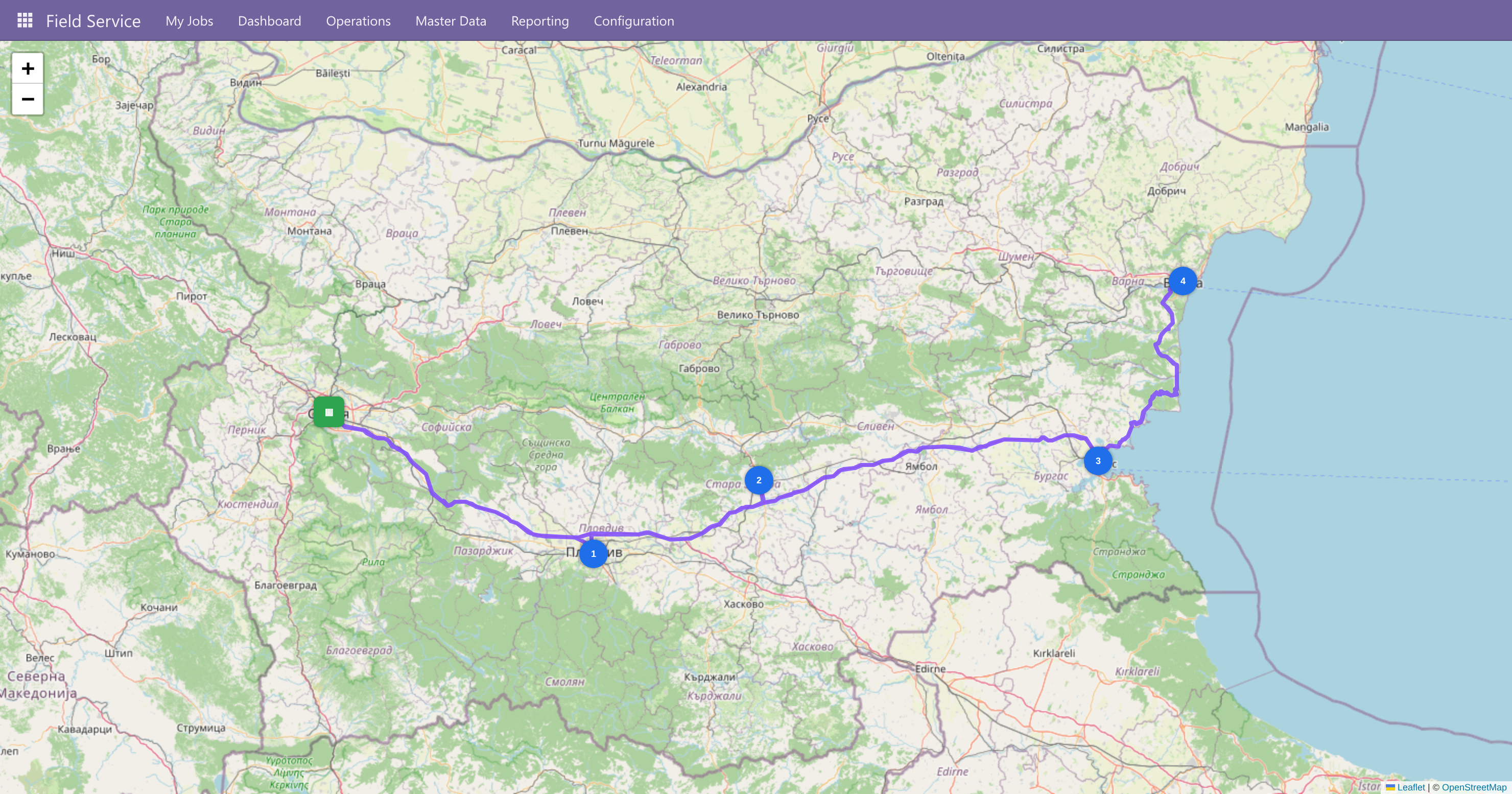
The dispatcher optimises a day route and reviews it on a live road map — numbered stops in the optimised order, the depot, and the real driving route:
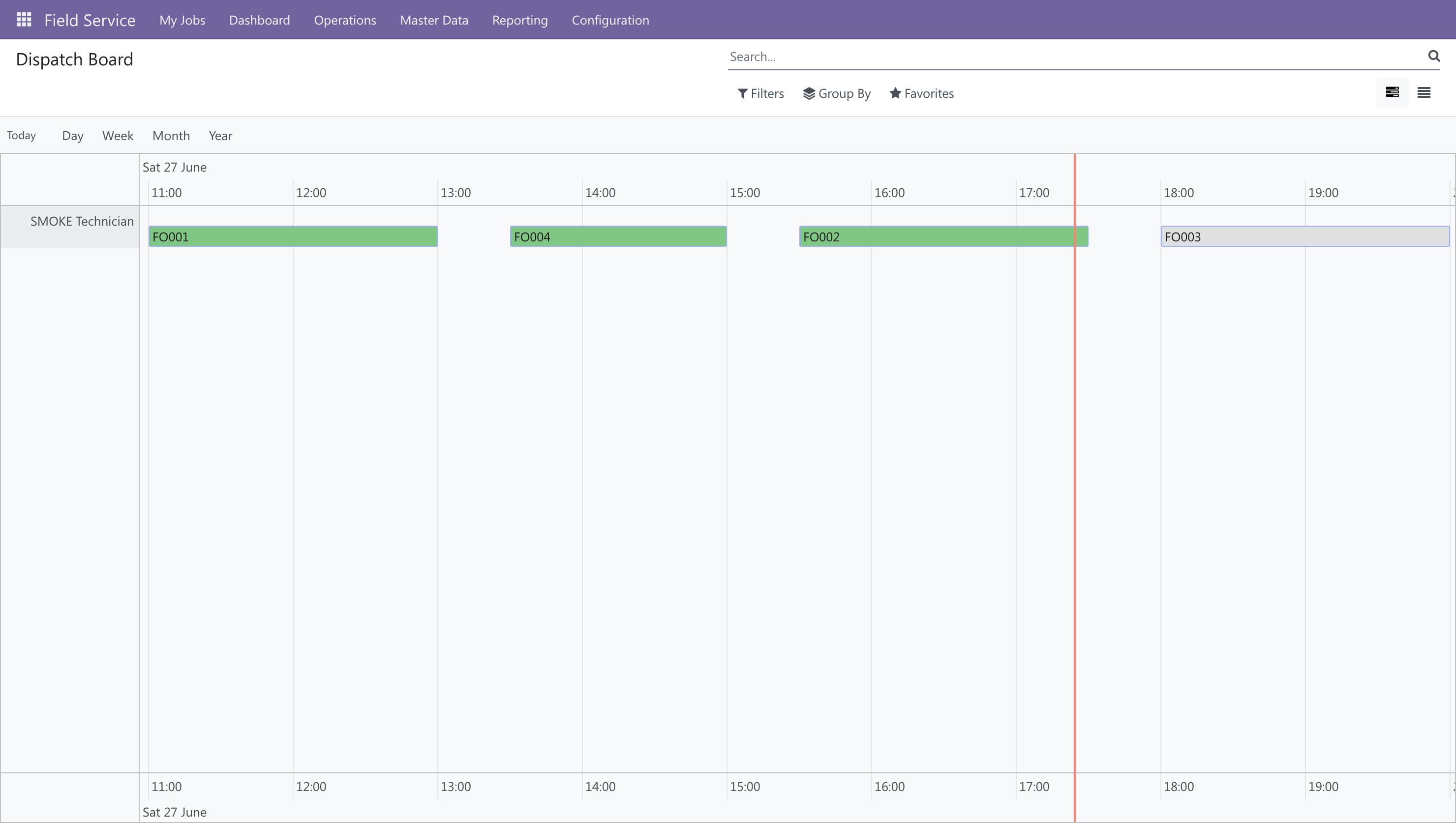
The dispatch board is a stage-coloured timeline per technician. Drag a job to another technician to reassign it, or along the time axis to reschedule:
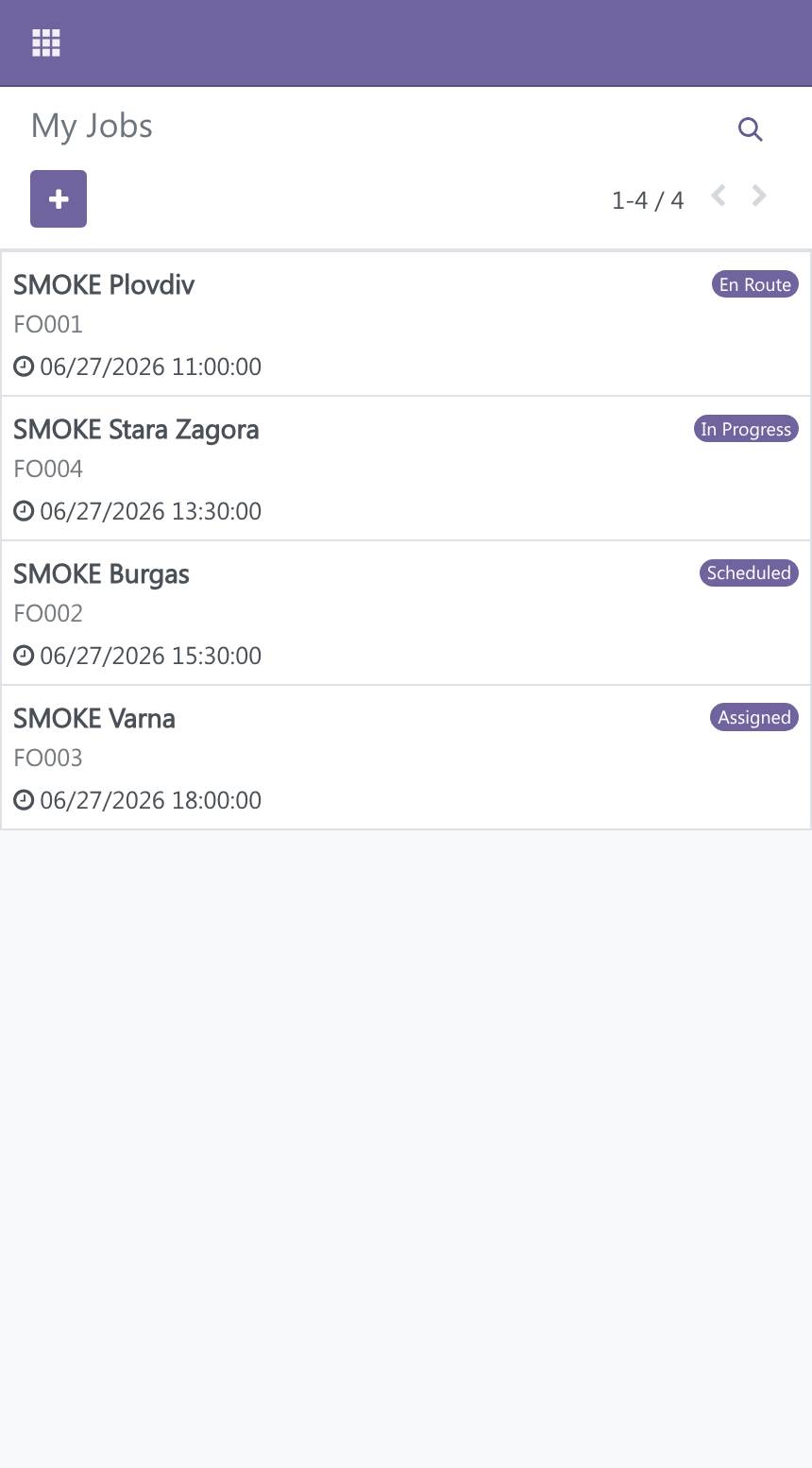
On the phone, the technician opens My Jobs — their open jobs, soonest first, as big tappable cards:
PLANA Field Service is organised around four roles. Each has a focused part of the product, and the job flows from one to the next.
| Role | What they do | Where |
|---|---|---|
| Operator | Logs the incoming service request | New Service Request |
| Dispatcher | Schedules, routes and assigns the work | Dispatch & routing |
| Technician | Does the job on a phone, logs parts, gets the signature | The mobile job |
| Manager | Oversees invoicing and maintenance contracts | Invoicing · Contracts |
A typical end-to-end flow: